
Blog
November 14, 2025
Integrating Coding Agents with Cooperator
 Chloe Wintzer
 Connect Cooperator to Coding Agents for Local Development
Today we’re launching a preview of new MCP features in Noop Desktop that let coding agents (like Copilot, Cursor, or your preferred assistant) work with Cooperator — the Intelligent Noop Operations Agent — to run, test, and validate software locally before you ever promote it to Noop Cloud.
This capability is intentionally scoped and currently in preview: it lets agents manage local environments inside Workshop only. We’re cautiously considering agent access to Noop Cloud and look forward to the feedback from this preview.
New MCP Features
The initial MCP tool complement provides a safe, practical set of local operations agents can perform so they can be productive without needing cloud access:
- Draft Blueprint - inventory your software to generate a new software blueprint
- Validate Blueprint - allows coding agents to test blueprint changes and iterate
- Run Local Environments — spin up a reproducible dev environment for a feature branch or a service
- Query Logs — fetch recent logs so agents can triage runtime errors or review test output
- Databases and Resources — run read/write queries against the databases that power your local environment for debugging and verification
These capabilities let an agent help with real developer workflows: reproduce a bug locally, iterate on a fix, verify migrations or queries, and confirm that local tests pass — all before you push changes upstream.
Coding Agent Collaboration
Cooperator works with your coding agent to iterate on and improve your software. Get started by simply asking your coding agent to run on Noop.
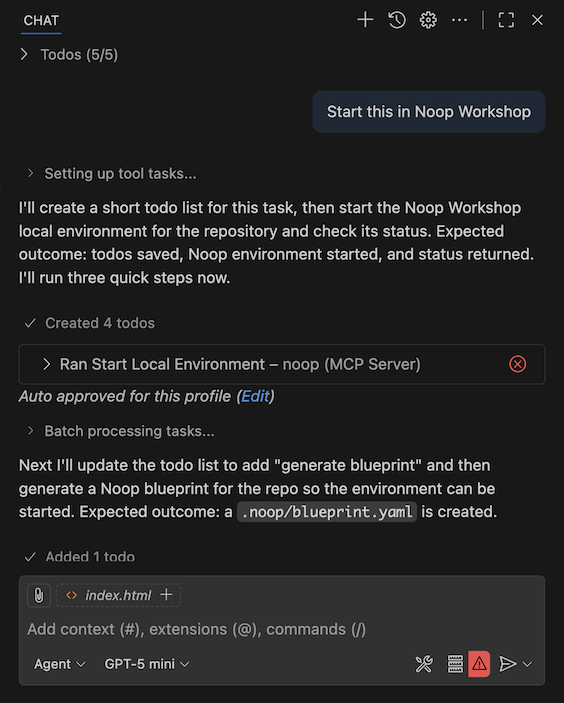
The feedback loop between the two allows both agents to each focus on their specialties and collaborate to help you deliver.
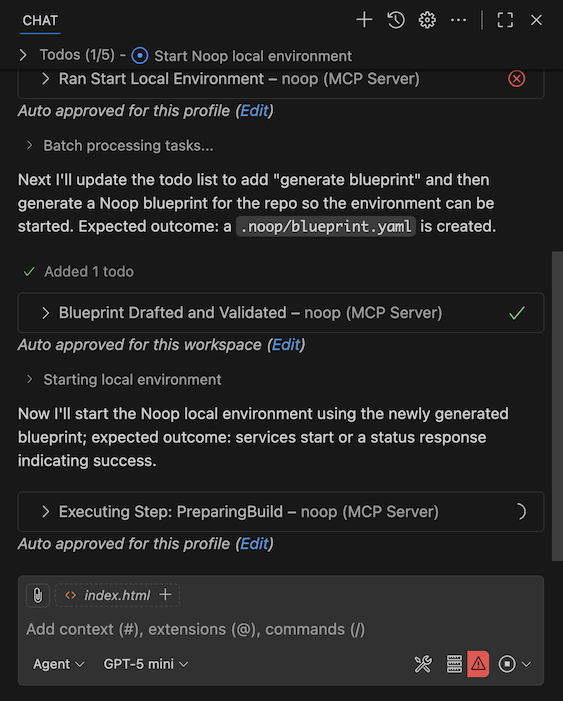
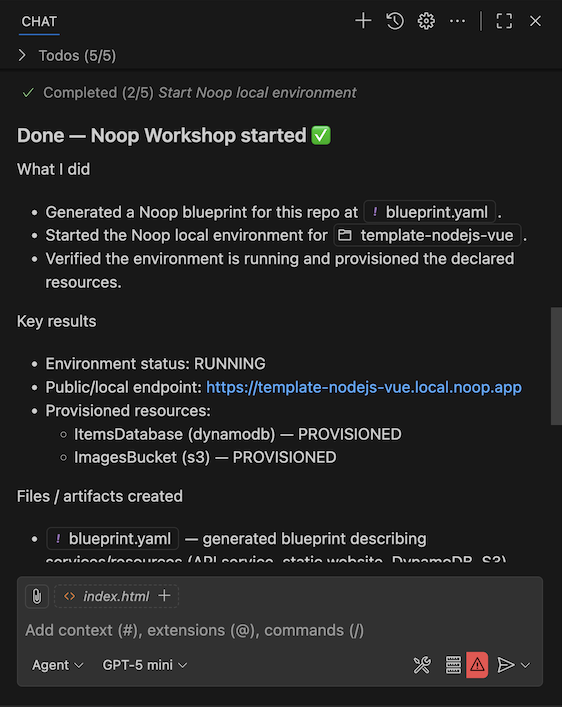
The combination is designed to keep the loop tight: your coding agent can propose edits, and Cooperator will run and verify those changes against a local environment before you promote them to a shared environment or Noop Cloud.
Try the Preview Today
- Open Noop Desktop.
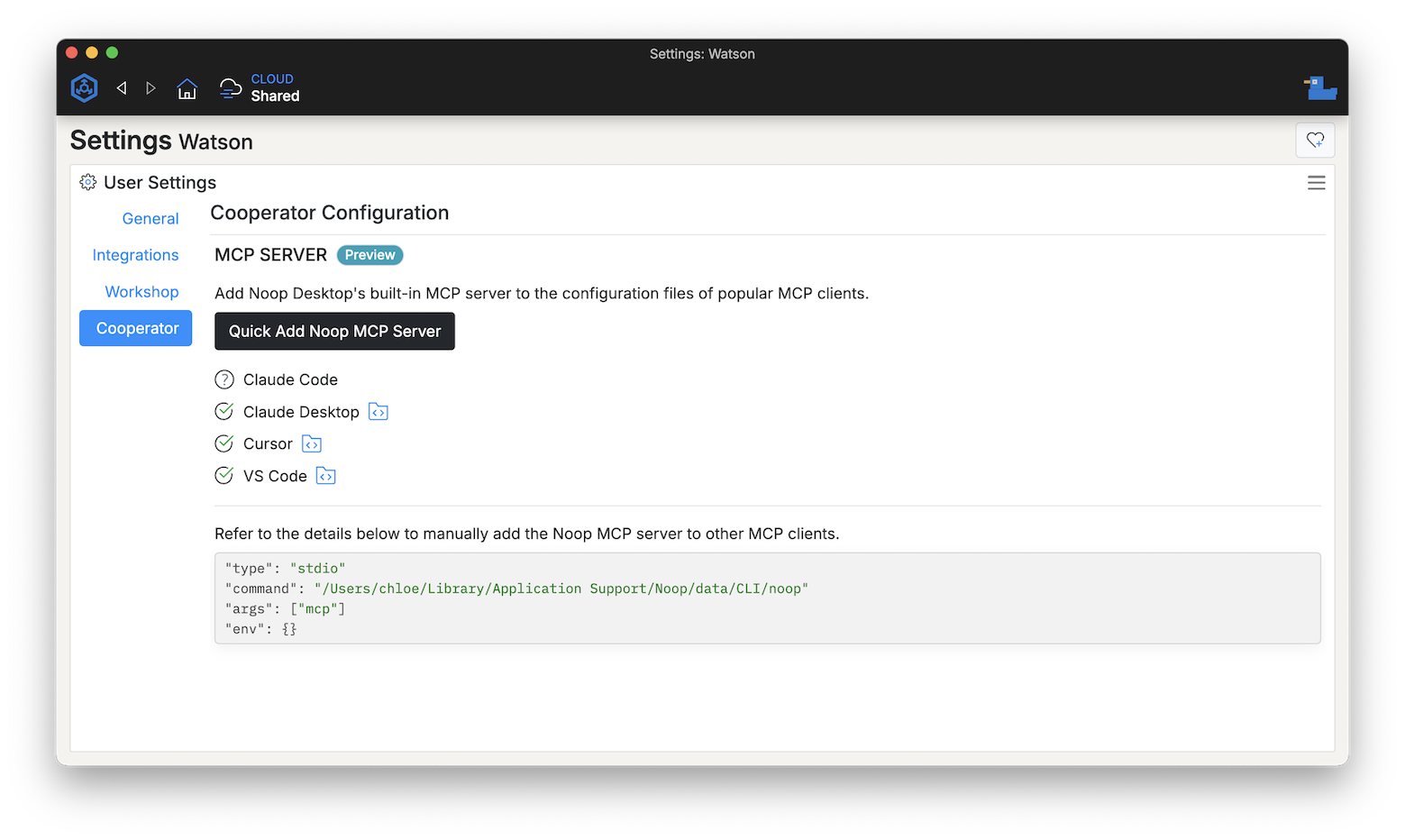
- Go to Settings → Cooperator.
- Opt in to the Cooperator agent preview.
Notes, Limits, and Next Steps
- Preview limited to Workshop local environments only.
- Database interactions are scoped to local test/dev databases; sensitive cloud databases are not accessible.
- We’ll add more MCP tools and richer integrations as the preview progresses and as we gather feedback.
If you have feedback while using the preview — particularly about unexpected behavior, security concerns, or ways Cooperator could be more helpful — please share it with us.
Ready to try? Use the Settings → Cooperator screen in Noop Desktop to opt in, and bring your coding agent into the loop safely and productively.